My sessions
Purpose. Show which devices you are currently signed in on. Each sign-in from a new browser or device creates a separate session.
Who sees it. Each user sees only their own sessions. The administrator sees the sessions of all employees on the “Sessions” page.
How to open. The My sessions button in the header on the right.
What is on the screen
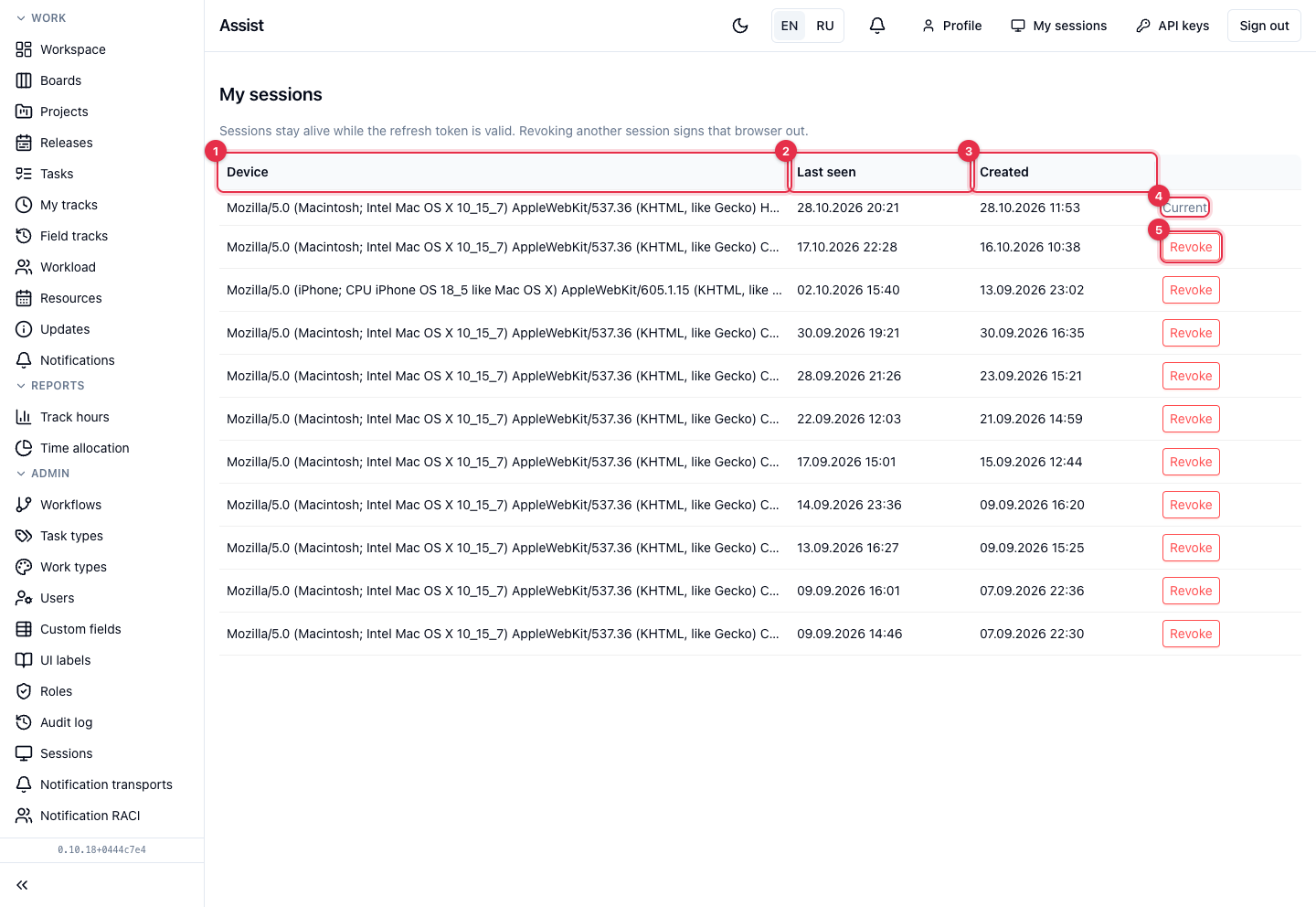
- Device — the browser and operating system. A long string is truncated: the beginning shows the browser and system.
- Last request — when the session last contacted the cabinet.
- Created — when you signed in.
- The Current label shows the session you are using now.
- Revoke ends another session. The browser from which it was opened loses access and has to sign in again.
What you can do
End an extra session
- Find a row without the “Current” label.
- Click Revoke and confirm.
If you see an unfamiliar session
- End it with the Revoke button.
- Change the password in Keycloak (Assist does not store passwords).
- Inform the administrator.
A session lives while Keycloak considers the sign-in valid, so old sessions from forgotten devices accumulate. It is safe to end them.