Sessions
Purpose. A session is one sign-in of a person from one browser or device. The page shows the administrator all active sign-ins of all users. It is needed when an employee lost a laptop, left the company, or there is suspicion of a foreign sign-in.
Who sees it. The administrator with permission for the “Sessions” collection.
How to open. Menu Admin → Sessions.
What is on the screen
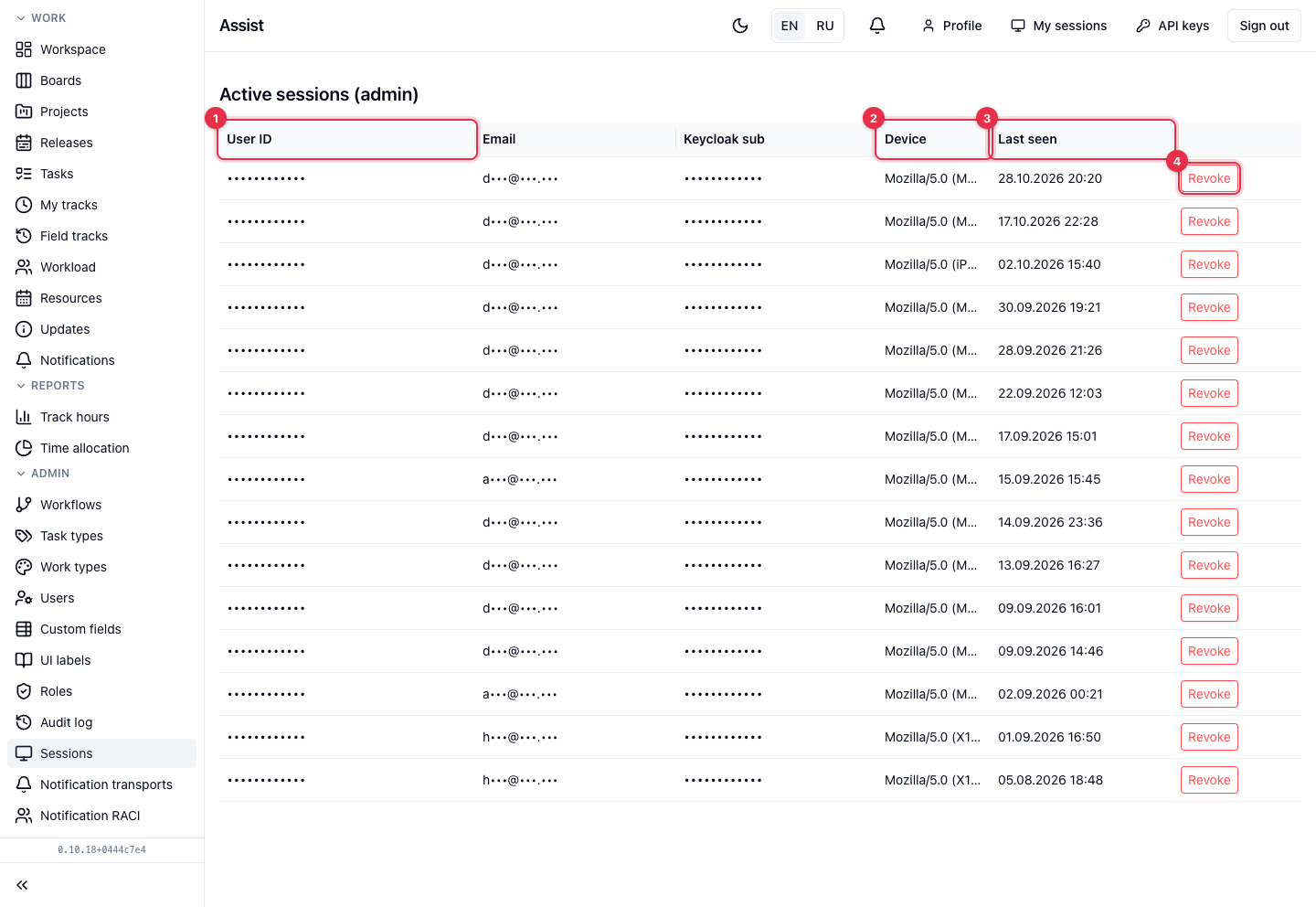
- User ID, Email, Keycloak sub: who signed in. Service values; the person can be found by them in the user list.
- Device — browser and system. A long string is truncated.
- Last request — when the session last contacted the cabinet.
- Revoke closes the session. The cabinet asks: “Force-revoke user's session?”. After confirmation the person is thrown out of the cabinet and must sign in again.
What you can do
End a session
- Find the row by email.
- Click Revoke and confirm.
When it comes in handy
- Offboarding. Disable the person in the user card and end all their sessions: “Employee offboarding”.
- A lost device. End the sessions with this device: access is closed at once.
- Cleanup. A session lives while Keycloak considers the sign-in valid, so old ones accumulate. They can be ended at any time.
Each person sees their own sessions in “My sessions”.