My tracks
Purpose. A personal time log. A track is a record of how much time you spent on a task. Tracks add up to “Spent” in tasks and releases, reports, and plan-versus-fact comparison.
Who sees it. Roles with permission for the “My tracks” page. Choosing another employee is available with the permission to view others' time.
How to open. Menu Work → My tracks.
What is on the screen
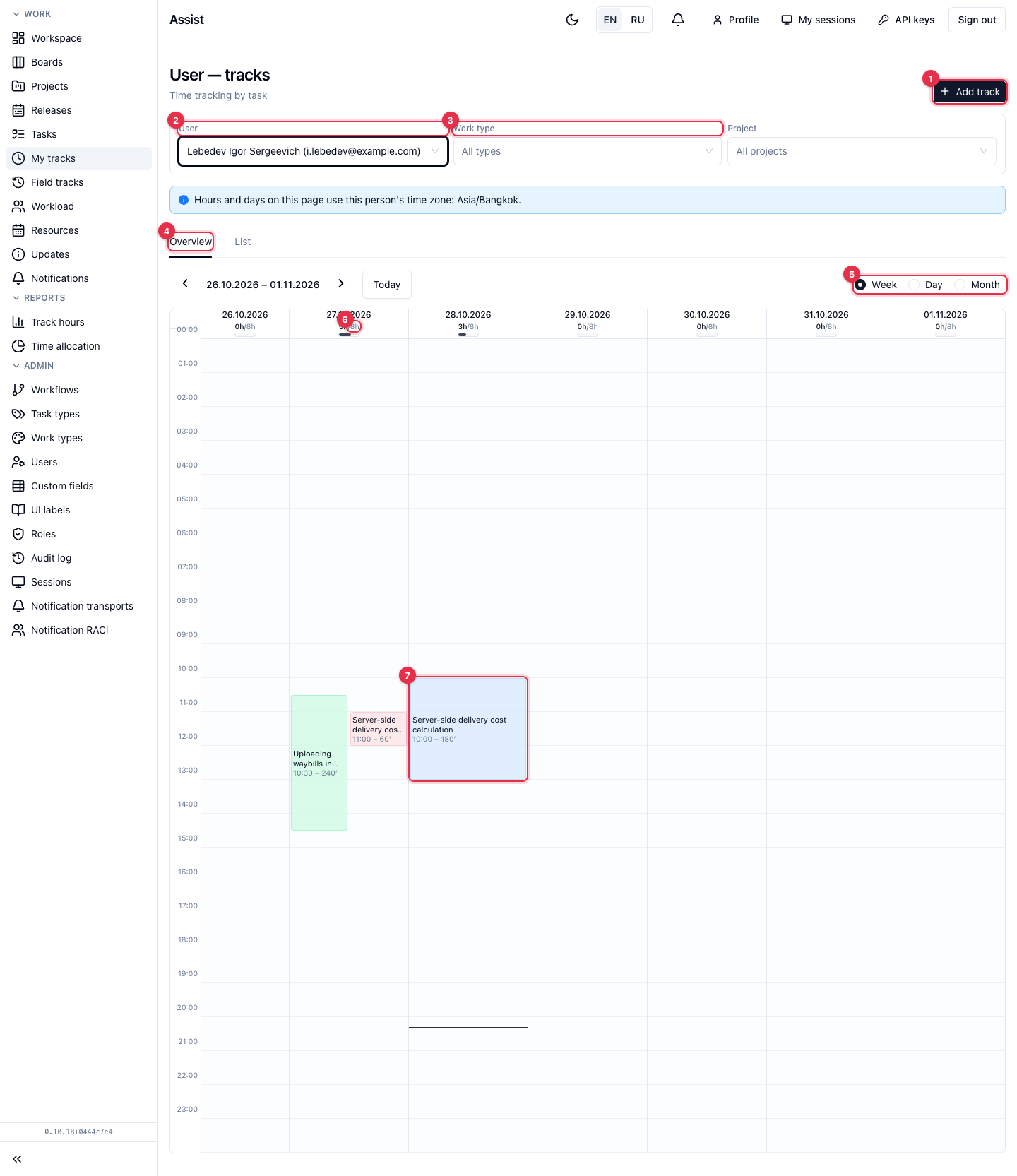
- Add track opens the time entry form.
- User. You by default. With the permission to view others' time, you can choose another employee: the page shows their tracks in their time zone.
- Filters Work type and Project.
- Tabs Overview and List.
- Period switch: Week, Day, Month.
- A day header with a “battery”: how many hours are logged out of the norm. “0.5h/8h” means half an hour with a norm of eight hours. If there are more hours than the norm, an “over target” mark appears.
- A block on the grid is a track. Its height corresponds to the duration, its color to the work type. Click a block to edit the entry.
What you can do
Log time
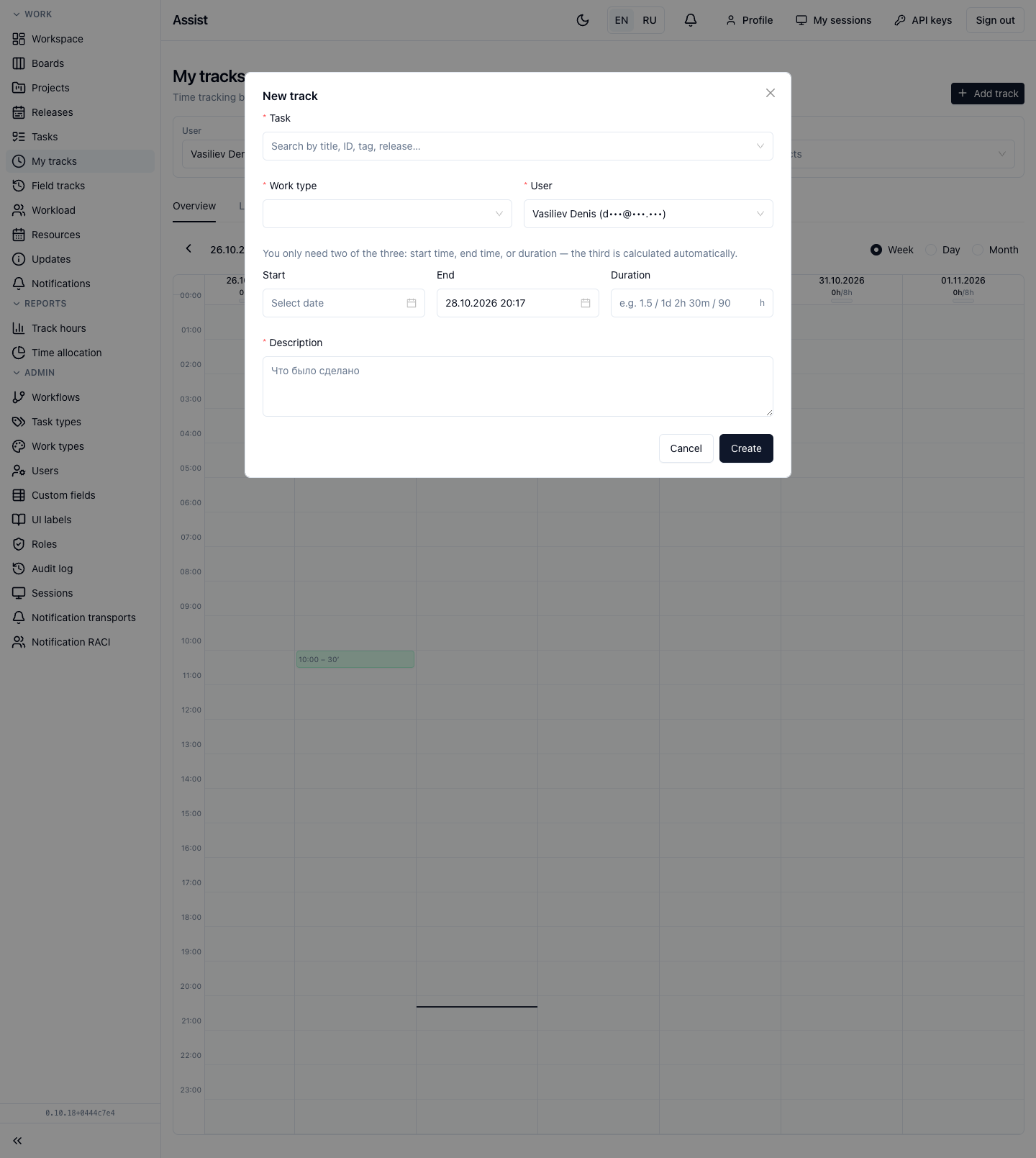
- Click Add track.
- Choose the Task: search by title, number, tag, or release.
- Choose the Work type.
- Enter the Description (required).
- Fill in any two of three values: start, end, duration. The third is calculated.
- Click Create.
If you have the permission to log time for others, an employee selector appears in the form.
Limits
- The start of a track is no older than 7 days. For earlier dates, the administrator enables the “Can create tracks retroactively” permission for the role.
- The end is not in the future.
- The end is later than the start.
- The minimum duration is 1 minute.
All rules: “Rules and limits”. Step by step: “Time tracking”.
Edit or delete an entry
- Click a track block in the calendar or the pencil in a list row.
- Change the fields and save. To delete, click the trash can and confirm.
“List” tab
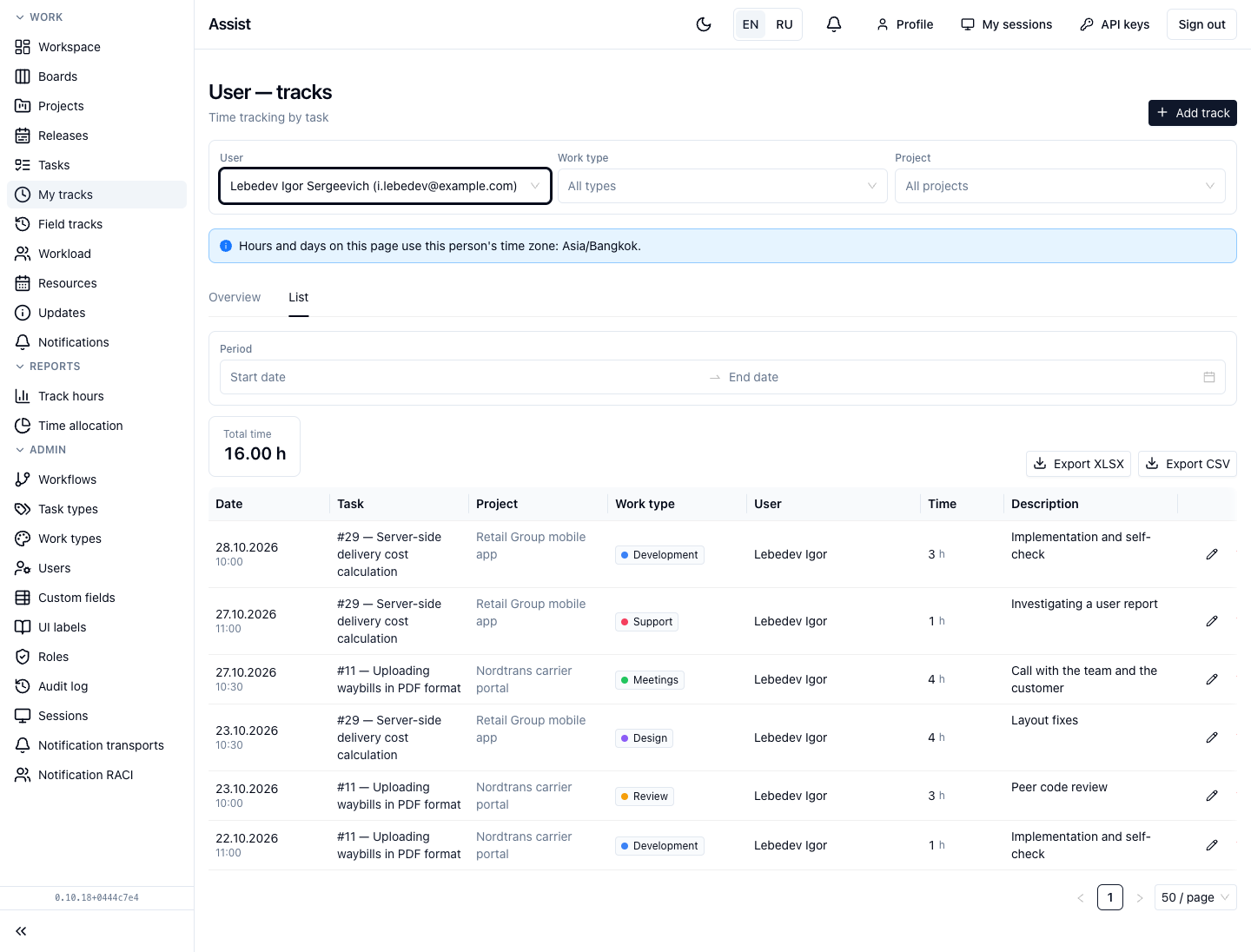
The same entries as a table: date, task, project, work type, user, time, description. Set a Period above the table. The Total time tile shows the total for the filters. The Export XLSX and Export CSV buttons export the table. If you have access to rates, “Hourly rate” is shown next to it.
Time zone
Days and hours are counted in the employee's time zone. If it is not set, Asia/Bangkok is used. This is stated on the page.
Frequently asked questions
A track is not saved. Check the age (not older than 7 days), that the end is not in the future, that the description and work type are filled in, and that two of the three time values are given.
The time landed on another day. The day is determined by the end of the track in the employee's time zone.
See also
- Project. Tracks.
- Track hours.
- Field tracks (this is the history of values, not time).