Track hours
Purpose. An “employees × days” matrix. A cell holds the sum of hours a person logged that day. It is used to check whether everyone has logged time and to prepare data for payroll or a client invoice.
Who sees it. Roles with permission for the reports page and for viewing tracks and users. If a person is not in the table, they have no tracks available to you for the period.
How to open. Menu Reports → Track hours.
What is on the screen
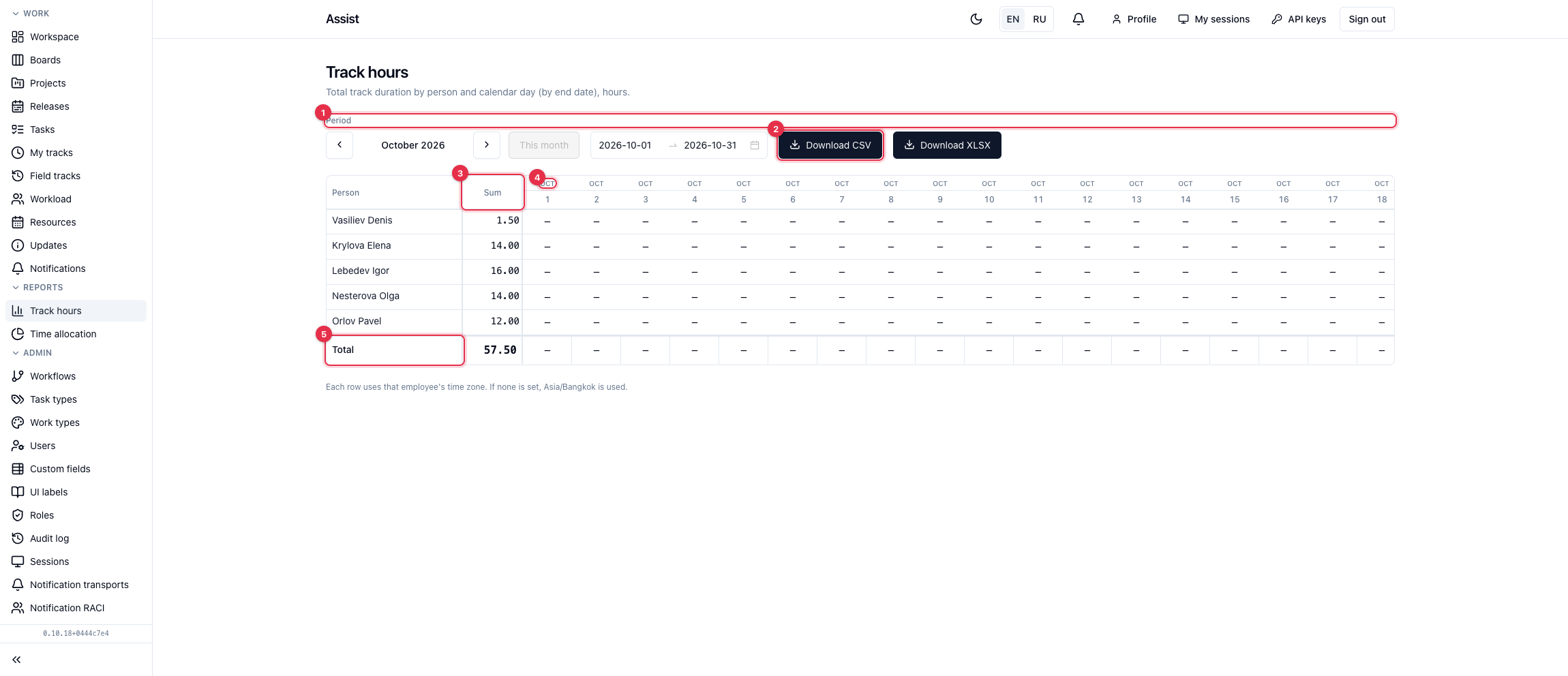
- Period. The arrows page through months, This month returns to the current one. You can set a range manually, no longer than a year (366 days).
- Download CSV and Download XLSX.
- The Sum column — the total per employee for the period.
- Day columns. A dash means the employee has no tracks that day.
- The Total row — the sum across all employees for each day and for the period.
How days are counted
A track belongs to the day on which it ended. If an employee worked from 23:00 to 02:00, the whole time lands on the next day. Days are counted in the employee's own time zone. If the time zone is not set in the profile, Asia/Bangkok is used (this is stated under the table).
What you can do
- Choose a period.
- Find rows with dashes and a small sum: remind employees to log time.
- Export CSV or XLSX.
For a breakdown by project, open “Time allocation”.