Profile
Purpose. Personal data stored in Assist and notification settings.
Who sees it. Each user sees only their own profile.
How to open. The Profile button in the header on the right.
What is on the screen
The page has three tabs: Personal information, Notification settings, and Notification channels. The last two are described in “Your notification settings”.
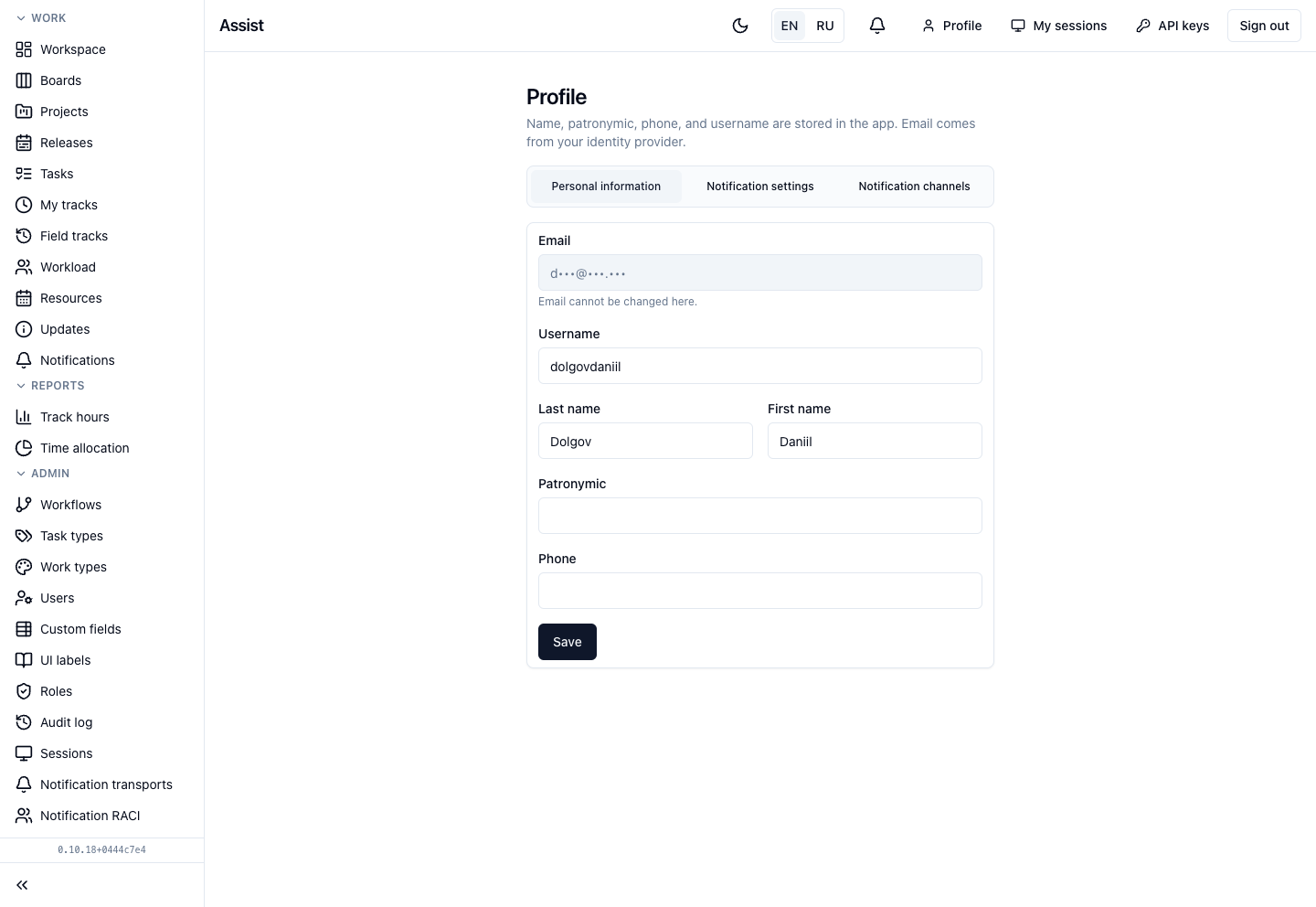
Personal information
- Username (login) — Latin letters, digits, dot, underscore, and hyphen. “@” and spaces are not allowed. Length from 2 to 64 characters.
- Last name, First name, Patronymic.
- Phone.
- Email is shown in gray and cannot be changed here: it comes from Keycloak. Under the field it says “Email cannot be changed here”. To change the email, contact the administrator.
What you can do
Change personal data
- Open Profile, the Personal information tab.
- Correct the fields.
- Click Save. The cabinet confirms: “Profile updated”.
Change the password
There is no password in the profile: Assist does not store it. Change it on the Keycloak page. More: “Sign-in, password, and security”.
Time zone
The time zone determines which day your tracks belong to in reports. If it is not set, Asia/Bangkok is used. To set another one, contact the administrator.
What else is in the header
Next to Profile there are “My sessions” and “API keys”.
Frequently asked questions
The username is not saved. Check the characters and the length: from 2 to 64, no “@” or spaces.