Notification RACI
Purpose. RACI agrees who takes part in the work and in what role: Responsible (assignee), Accountable (answers for the result), Consulted (advises), Informed (is kept informed). The page defines who receives notifications about events in tasks.
Who sees it. The administrator: permission for the “Notification RACI” collection is required.
How to open. Menu Admin → Notification RACI.
What is on the screen
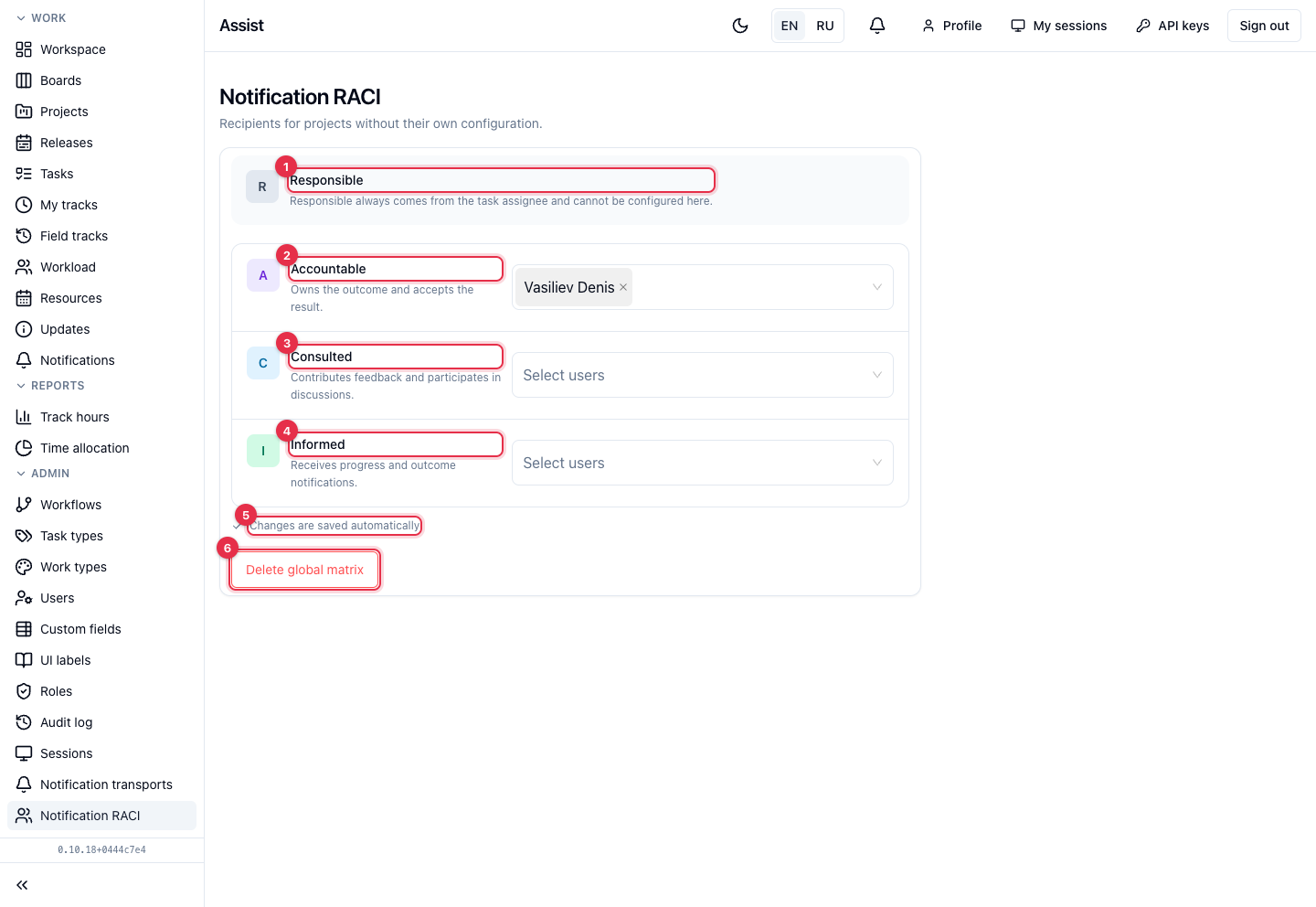
- Assignee (R) is determined from the task automatically: the person it is assigned to. It is not configured here.
- Accountable for the result (A) answer for the outcome and accept the result.
- Consulted (C) take part in discussion and give feedback.
- Informed (I) receive notifications about progress and results.
- Choose people in each list. Changes are saved automatically, which is confirmed at the bottom of the card by “Changes are saved automatically”.
- Delete global matrix removes the common rules.
Global rules and project rules
The page in the menu describes the global rules: they apply to all projects without their own setting. For a project, rules are overridden on the project's “Settings” tab: click Enable override. The project matrix fully replaces the global one. Disable override cancels it.
What you can do
- Choose recipients in the A, C, I lists.
- Make sure the save confirmation appears at the bottom.
How it works together with the rest
RACI determines who receives a notification. Which events and channels are on, each person decides in notification settings. The channel must be configured by the administrator in “Notification transports”.