Release. Board
Purpose. Show a release's tasks in stage columns (“New”, “In Progress”, “Review”, “Testing”, “Done”). It is visible how work moves inside the release and where it got stuck.
Who sees it. Roles with permission for the release's “Board” tab.
How to open. Open a release and choose the Board tab.
What is on the screen
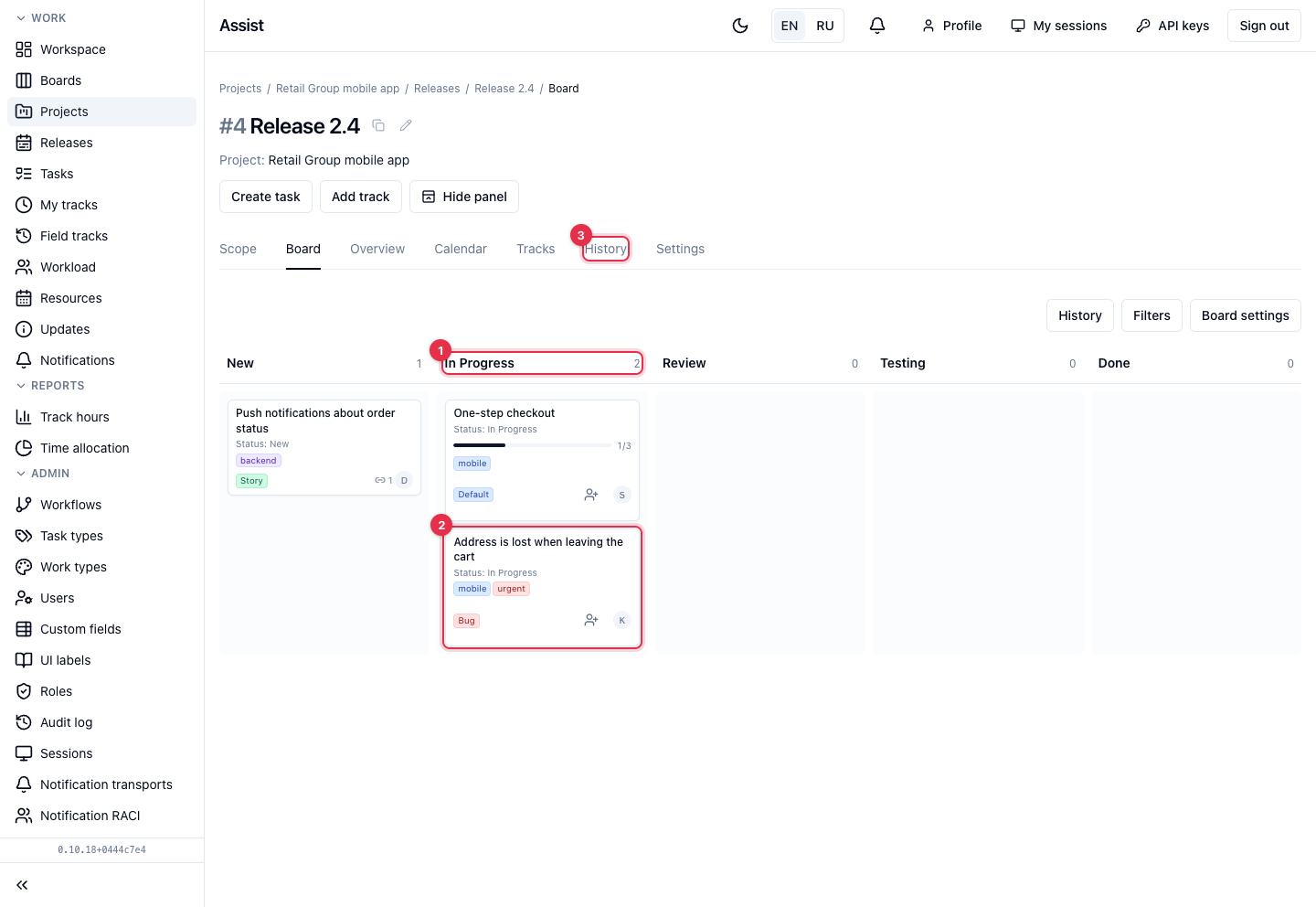
- A column with a card counter. If a WIP limit is set, it is shown too.
- A task card. The bar shows the share of closed subtasks, the link icon shows related tasks, the circle on the right is the assignee.
- History, Filters, Board settings. The Hide panel button in the release header collapses these buttons.
What you can do
Move a card
- Drag the card to another column.
- If the move is forbidden by the workflow or data is needed, the cabinet explains the reason or opens a window to fill in.
What is not shown
Project tasks that are not in the release do not appear on this board. The whole project's board is on the “Boards” tab of the project, and consolidated boards are in the “Boards” menu item.