Release. Scope
Purpose. Show the tasks of one release. The table works like the project scope; only the differences are described here.
Who sees it. Roles with permission for the release's “Scope” tab.
How to open. Open a release: Scope opens as the first tab.
What is on the screen
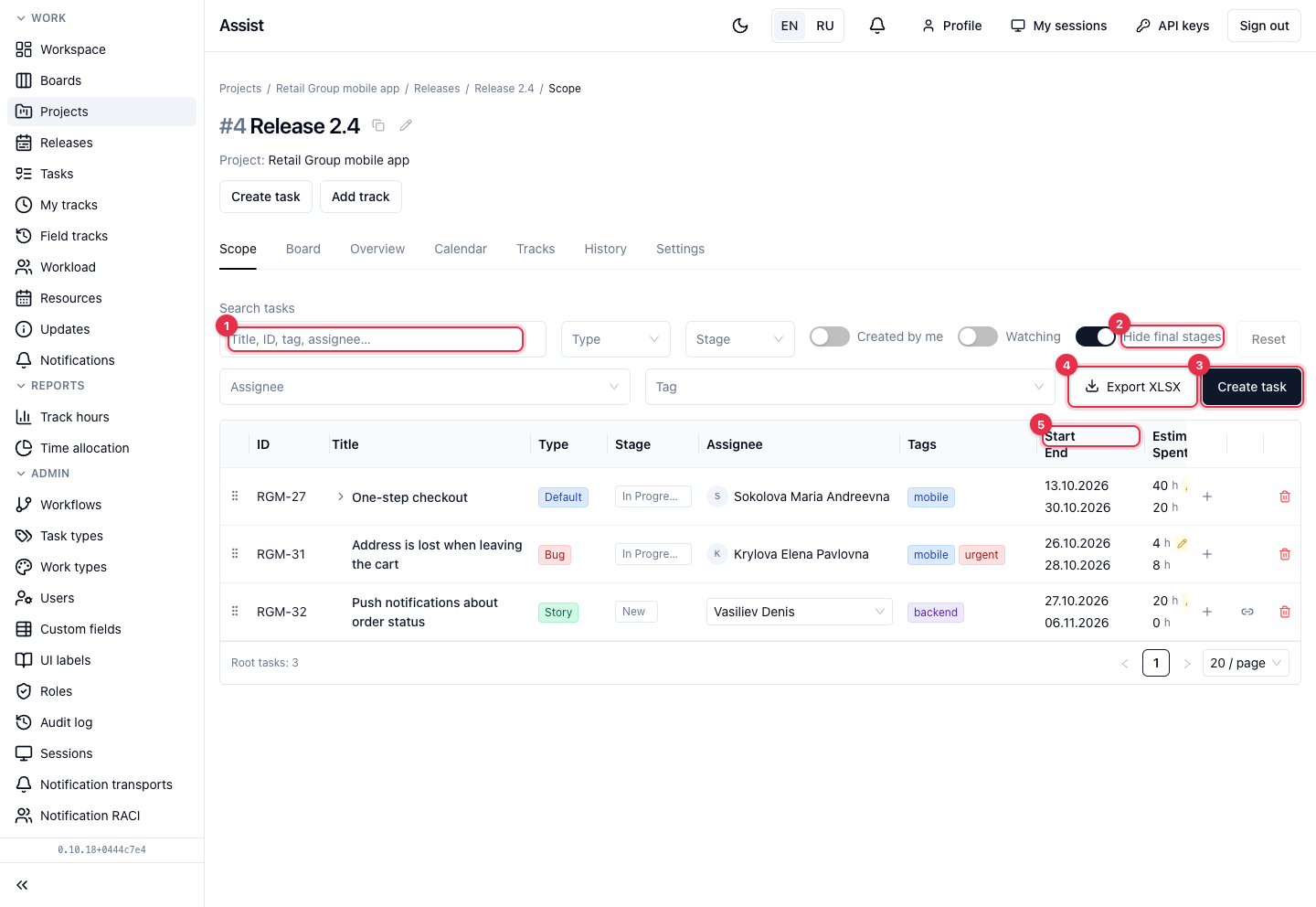
- Filters by title, number, tag, and assignee, by Type, Stage, Assignee, Tag. There is no release filter: you are already inside the release.
- Hide final stages is on by default. Tasks at final stages are hidden with their subtasks.
- Create task creates a task right in this release; the “Release” field fills in by itself.
- Export XLSX exports the table.
- The Start / End and Estimate / Spent columns show whether a task fits the deadlines and the hours budget. The icon next to an estimate means it was set manually.
What you can do
Add a task to a release
- Click Create task or open the card of an existing task.
- In the “Release” field choose this release.
Which tasks are allowed
A release may have a restricted list of allowed task types. If the type is not allowed, the cabinet refuses and names the allowed ones. The list is set when the release is created and shown on the “Overview” tab.
Where the other tasks are
Project tasks outside the release do not appear here. Look for them in the project scope.