Release. History
Purpose. Show everything that happened to a release: team comments, logged time, and field changes, including stage transitions. It works like the project history.
Who sees it. Roles with permission for the release's “History” tab.
How to open. Open a release and choose the History tab.
What is on the screen
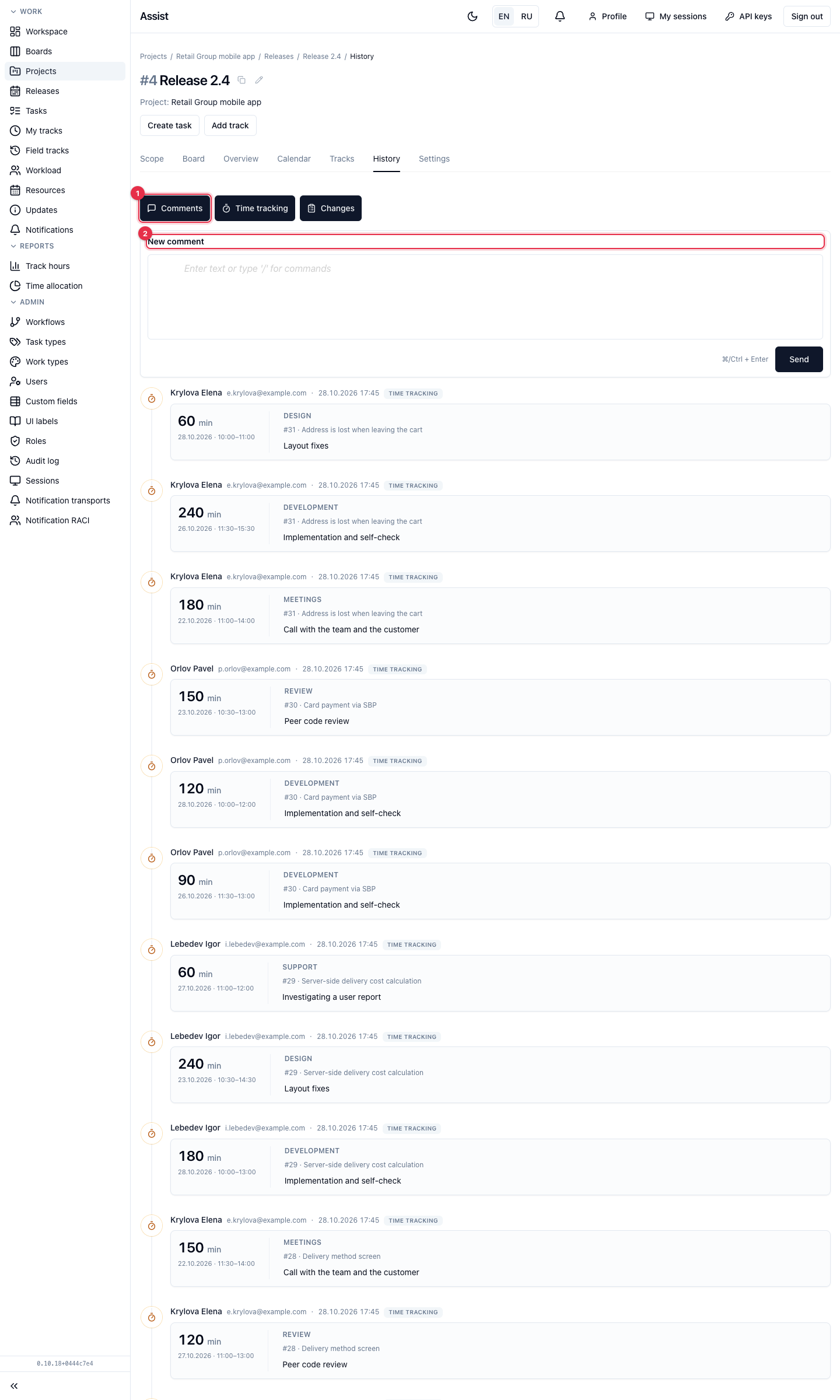
- The Comments, Time tracking, Changes switches turn on the kinds of entries.
- The New comment field. Send with the button or ⌘/Ctrl + Enter.
- The event feed from new to old.
What you can do
Discuss a release
- Write the text in the “New comment” field and send it.
- Reply to someone else's comment with the Reply button. You can edit or delete your own.
Understand what changed
Turn on only “Changes”: the feed keeps stage transitions and field edits. You can see when the release moved to development, who corrected the assignee or the estimate, and when acceptance was confirmed.
Check hours
Turn on only “Time tracking”: the feed keeps logged-time entries on the release's tasks with description, work type, and author.
What does not get into the feed
Comments on individual tasks are not shown here. Read and write them in the task card. Hours as a table are on the “Tracks” tab.