Project. Settings
Purpose. All project settings in one place: allowed types, team, notification recipients, tags, groups, and deletion.
Who sees it. The blocks are available to project team members and the organization administrator. Other settings depend on the role's permissions on projects.
How to open. Open a project and choose the Settings tab.
What is on the screen
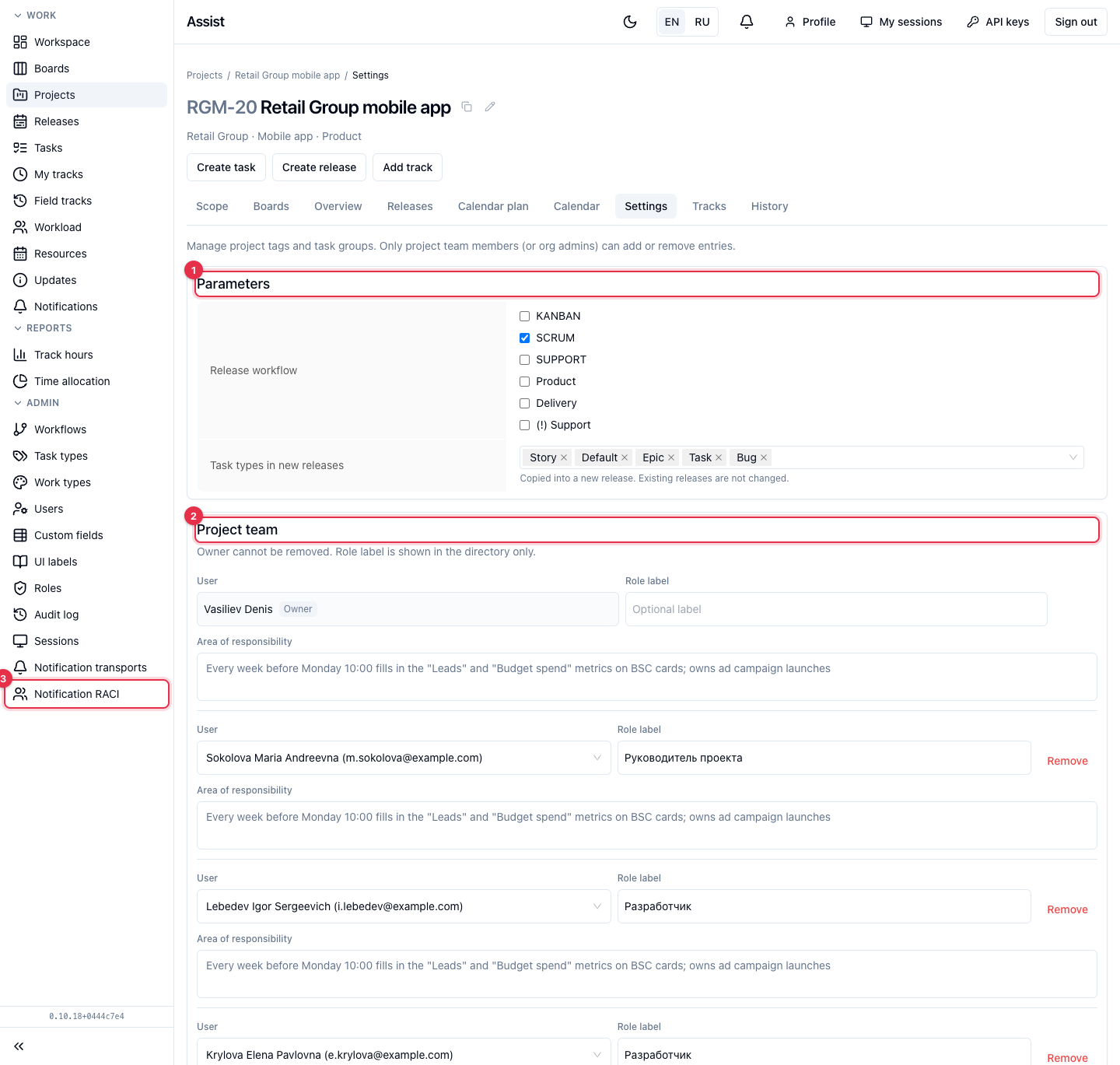
- Parameters. Which release types (workflows) are allowed and which task types can be used in new releases. Changing task types applies to releases created after it: existing ones stay as they were.
- Project team. A list of people. The owner cannot be removed.
- Role label is free text (“Project manager”, “Developer”), for reference only.
- Area of responsibility — what the person is responsible for. Write it so that an AI assistant can understand it too: what the person enters, which metrics, and how often.
- Add member adds a person, Remove excludes.
- Click Save team.
- Notification RACI. By default the global rules apply. Enable override sets your own recipients for the project. The project setting fully replaces the global one. Disable override cancels it.
- Tags. Enter a name, choose a color, click Add tag. The color of an existing tag is changed in the list. Delete removes the tag from all the project's tasks.
- Task groups. Enter a name and click Add group. A group is chosen on tasks and divides them, for example into “Catalog and cart” and “Personal account”.
What you can do
Add a person to the team
- Click Add member and choose a person.
- Fill in the role label and the area of responsibility.
- Click Save team.
Only team members can be chosen as task assignees.
Delete a project
At the end of the page there is the Delete project block. A project is deleted only from here, after confirmation. Together with it, releases, tasks, subtasks, and hours are deleted.
Deletion is irreversible for the user. If the project is completed, move it to the final stage instead of deleting it.
Who can change
Tags and groups are added and deleted by project team members and the organization administrator. The rest depends on the role.