Work types
Purpose. A work type answers the question “what exactly were you doing” when logging a track. It sets the color of an entry in the calendar and lets you filter hours by kind of activity.
Who sees it. The administrator with permission for the “Work types” collection.
How to open. Menu Admin → Work types.
What is on the screen
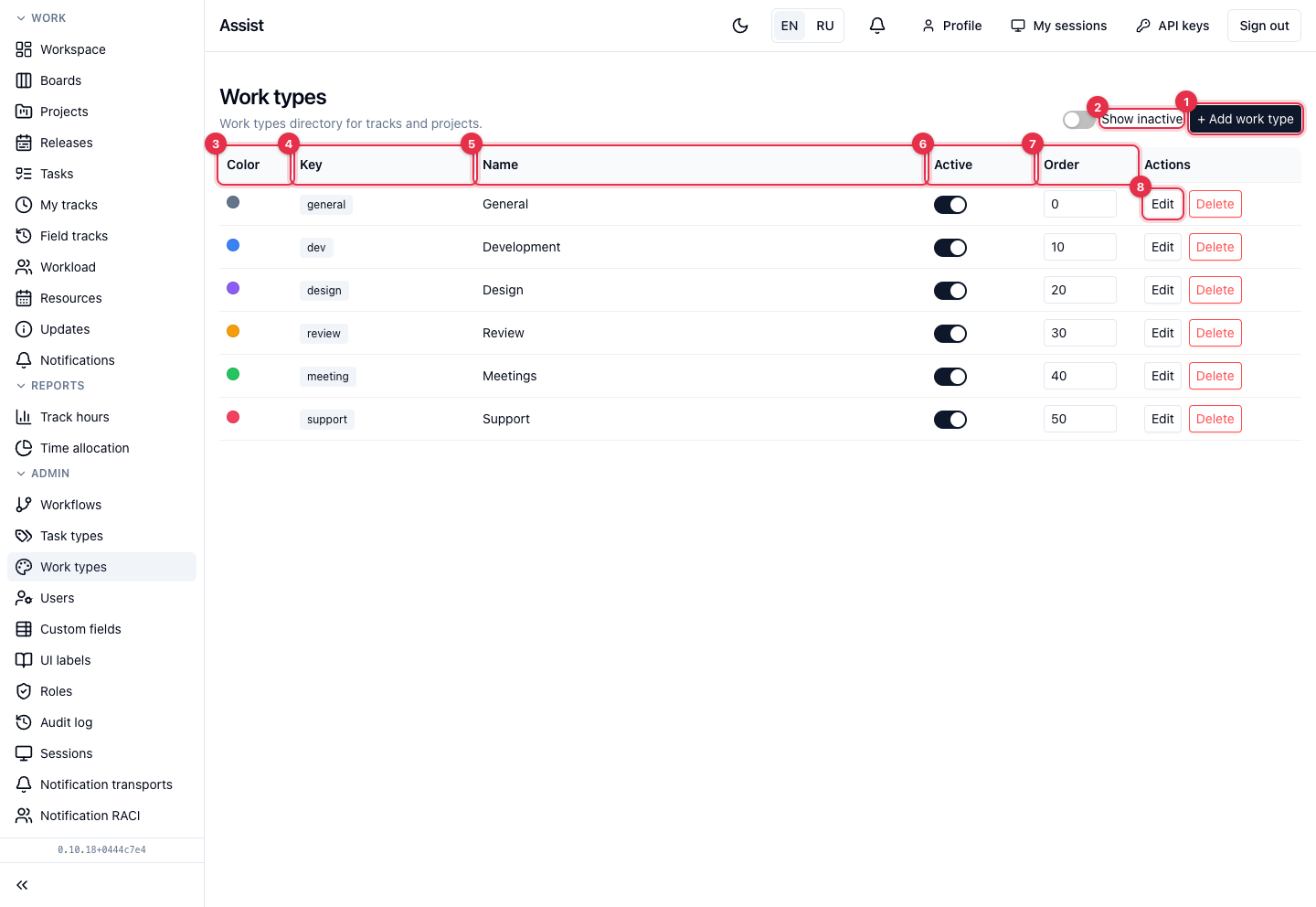
- Add work type: key, name, and color.
- Show inactive adds disabled types to the table.
- Color — a dot, also the entry label in the calendar and track tables.
- Key — the service name.
- Name — what people choose.
- The Active switch. A disabled type cannot be chosen for new tracks; old entries stay.
- Order determines the sequence in the selection list: the smaller the number, the higher the type.
- Edit changes the name, color, and order, Delete removes the type.
The standard set: “General”, “Development”, “Design”, “Review”, “Meetings”, “Support”.
What you can do
Add a type
- Click Add work type.
- Enter a key and a name, choose a color.
- Save and set the order if needed.
Do not confuse with task types: they describe the card kind (bug, story), not the kind of work in hours.